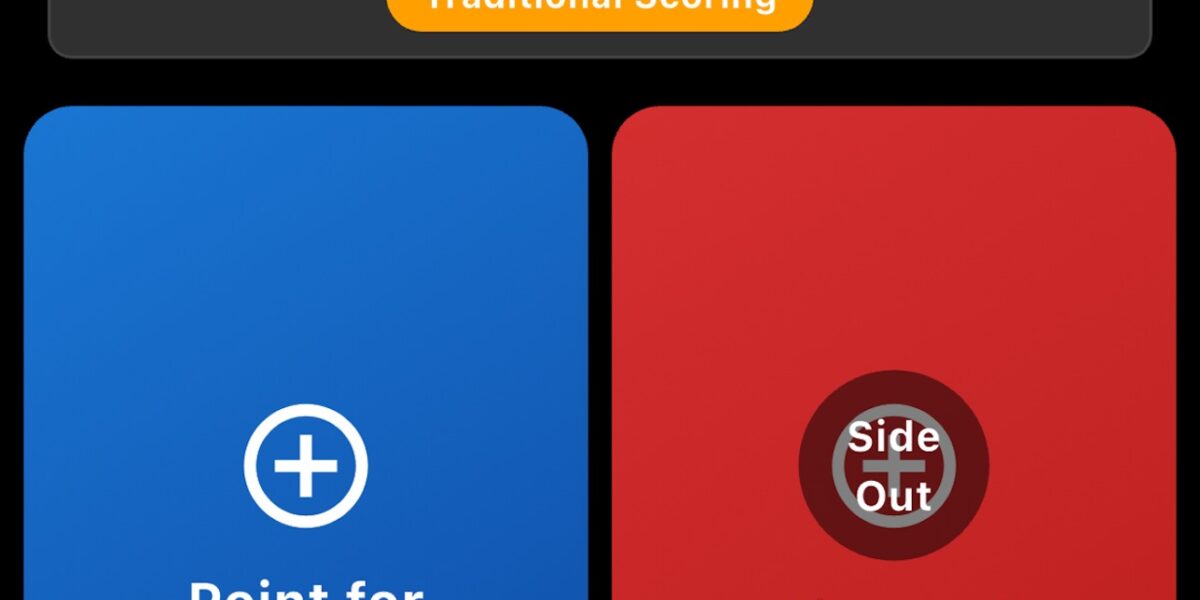
 Pickleball Pro ScorekeeperPickleball Pro ScorekeeperTraditional + rally scoring. Side-out rules tracked automatically. Singles and doubles. Free, no ads.Download for iPhoneGet it on Google Play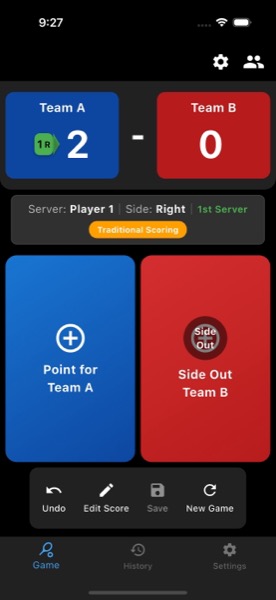
Three minutes into a 4.0 doubles match last weekend, my partner and I lost track of who served last, what side, and what the score was. We called the score back to 0-0-2 and restarted the point. Nobody objected. Pickleball’s scoring system — three numbers, server side-switching, side-outs that flip who calls the score — is genuinely confusing in the heat of play, and the “team forgets the score” pattern is universal at every level below 4.5.
I’ve been playing competitively for four years and finally accepted that my brain is not a reliable scoreboard. Mobile scorekeeping apps solve the problem, but the available options vary widely in quality and pickleball-specific feature accuracy. Here’s the field test of what actually works on the court.
The Pickleball Scoring Problem
For anyone who’s never played, here’s why pickleball scoring is unusually demanding:
Three-number callouts. “Two-three-two” means server team has 2 points, receiving team has 3 points, and the second server on the serving team is up. You have to call all three numbers before each serve.
Side switching by the server. When you score a point, the server switches from the right service court to the left service court (or vice versa). When you side-out, the serve goes to the partner. When you double-side-out, the serve goes to the opposing team.
First-server-only rule at game start. Game starts at 0-0-2 — meaning only the second server gets to serve before side-out happens. This trips up players who haven’t internalized it.
Rally scoring (some leagues). Newer rally-scoring formats score every rally, not just server rallies. Changes the dynamic of who calls score and when sides switch.
Any one of these is manageable. Together, especially in mid-match focus, players lose track and matches degenerate into score-debate.
What a Pickleball Scorekeeper App Should Do
After testing several options, the must-have feature list:
- Automatic side-out tracking. The app should know when a side-out happens and update the server number / team automatically. Manual side-out entry defeats the purpose.
- Visual server indicator. Big, clear, glanceable indicator of who is serving from which side. Color-coded helps.
- Traditional + rally scoring modes. Both formats are common. App should support both.
- Singles and doubles. Different mechanic — singles doesn’t have a server #2.
- Customizable winning score. 11, 15, and 21 are all common depending on event format.
- Haptic feedback for point scoring. When you tap a point button, the app should vibrate confirmation. Visual-only feedback is unreliable when you’re not looking at the screen.
- Large tap targets. Tapping with a paddle in your hand, or with sweaty fingers, is different from normal app usage. Buttons need to be huge.
- Undo button. Mis-taps happen. Undo is essential.
- Match history save. Useful for tracking your game count, win rate, common scoring patterns.
Pickleball Pro Scorekeeper — Field Test
I’ve been using Pickleball Pro Scorekeeper as my primary scorekeeper for about two months across rec play, tournament practice, and one sanctioned tournament. The pattern that emerged:
The server indicator works. Big color-coded display showing which team is serving from which side. Glanceable from across the court. After a long point, glancing down for 0.5 seconds tells you everything you need to know.
Auto side-out is correct. Tap “point” for the serving team, server # increments and side switches. Tap “point” for the receiving team, side-out happens automatically — second server on serving team gets the serve, or if it’s already the second server, serve goes to receiving team.
Traditional and rally modes both supported. Toggle between them in settings. Default is traditional (server-only scoring). Rally toggled separately for events that use it.
Singles vs doubles handled correctly. Singles drops the server-number callout (just “5-3” instead of “5-3-2”). The app adjusts automatically based on player count.
Customizable winning score. 11, 15, 21 selectable. Some local leagues play to 7, 9, or other odd values for time-limited formats — these can be entered as custom values.
Haptic feedback on point taps. Vibrates when you tap. Useful when you’re not staring at the screen.
Undo button. One-tap undo. Common when somebody calls a “let” or contested play retroactively.
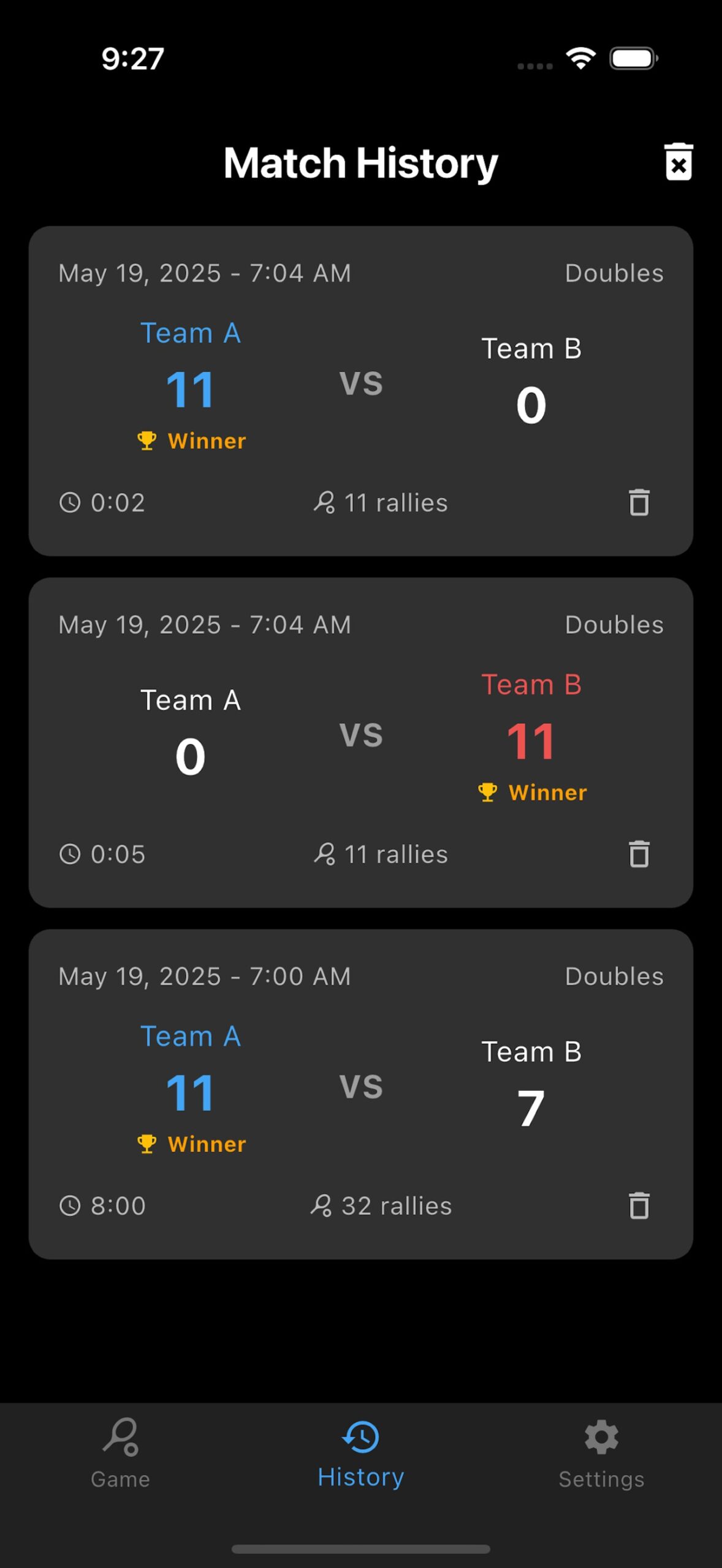
Match history save. Optional save at game end. Builds match log over time.
The “Did the Server Change?” Test
The single best test of any pickleball scorekeeper is the side-out handling. Specifically: after a side-out, does the app correctly track which server (1 or 2) is now serving?
Walking through the sequence:
- Game starts. Score is 0-0-2. Receiving team’s first server is up (special rule: first server is always #2 at game start).
- Receiving team wins point. Score becomes 1-0-2. Same server, now serving from the other side.
- Receiving team wins another point. Score becomes 2-0-2. Same server, switches sides again.
- Serving team wins point. Side-out happens. Score becomes 0-2-1. The OTHER team’s first server is now up.
- Original serving team wins next point. Side-out again. Score becomes 0-2-2. Same team, now their second server is up.
This sequence happens probably 30 times in a typical game. The app needs to handle it correctly every time. In testing, Pickleball Pro got this right consistently — including the tricky 0-0-2 start, the first-side-out behavior, and the subsequent normal cycles.
Comparing to Other Apps
Three other pickleball scorekeeping apps in regular use:
Pickleball Score Keeper (id1217654817). One of the oldest pickleball apps. Functional but dated interface. Server tracking works but the visual design makes it harder to glance at quickly. Free with ads.
Side Out — Pickleball (id1671243214). Newer entrant with a clean interface. Side-out tracking is accurate. Singles handling is solid. Subscription tier for advanced features.
Pickleball Score Tracker (id6449199491). Simple and free. Server tracking works for traditional scoring. Less robust for rally and unusual formats.
Compared to these, Pickleball Pro Scorekeeper‘s advantages:
- Both traditional and rally scoring modes (some others are traditional-only)
- Clean visual design with large tap targets
- Haptic feedback works reliably (some competitors are inconsistent)
- Free with no aggressive subscription paywall
- Match history without account creation
The disadvantages to acknowledge:
- Less robust statistics tracking than premium-tier competitors
- No social/sharing features that some apps offer
- Tournament-bracket management not built in (separate apps better for tournament directors)
Try Pickleball Pro ScorekeeperPickleball Pro ScorekeeperAuto side-out tracking. Big glanceable server indicator. Both traditional + rally modes.Free, no signup.Download for iPhoneGet it on Google PlayUse Cases by Pickleball Player Type
Rec play (2.5-3.5 rated): The scorekeeper app removes the “did we score that?” friction that makes rec play less fun. Lower-skilled players are the ones who benefit most from offloading score tracking.
Tournament players (3.5-4.5 rated): During warm-up games and practice, the app prevents arguments and keeps focus on play. During actual tournament matches, refs are present and apps aren’t needed — but the practice habit is what makes the tournament play smoother.
Open play / drop-in groups: Where rotating teams play short games, the app cuts the between-game friction of restarting score-tracking each match.
League play with self-officiating: Common at club level. The app serves as the neutral third party — both teams agree to its score, and disputes become less common.
Lesson and clinic settings: Coaches can track multiple drills/games for students. Some coaches use it to track student performance over multiple sessions.
The Smart Watch Question
Some players prefer Apple Watch or Wear OS-based scorekeepers — physical paddle-grip-friendly. Pickleball Pro doesn’t currently have a dedicated watch app. The phone-only experience requires keeping the phone visible court-side, which is fine for most rec settings.
For tournament players who want true hands-free scorekeeping, smartwatch-based alternatives exist but are limited in features. Most settle for phone-based as the better tradeoff between features and convenience.
Court Setup Tips
Practical placement:
Singles play. Phone behind the baseline, somewhere visible when you’re at the back of the court. Tap between points.
Doubles play. Phone on the bench or sideline. One player on each team designated as scorekeeper. Tap after each point.
Indoor courts. Phone screens lock after inactivity. Set screen lock to “Never” or 5+ minutes when actively using the app. Auto-lock interrupts match flow.
Outdoor courts. Screen visibility in bright sun is reduced. Increase brightness; consider matte-screen variants if you play often outdoors.
Phone protection. Pickleball balls hit phones. Use a case. Don’t leave the phone in a high-traffic area.
The Long-Term Value
For competitive players, the app’s match history feature becomes valuable over a season. Save every game. After 50-100 saved games, patterns emerge:
- Win rate against specific opponents
- Point-scoring patterns at different scores (12-10 vs 7-5)
- Improvement over time
- Game length and how it correlates with outcome
Generic spreadsheet tracking can do this, but the app captures it automatically. Worth turning on the save feature for serious players.
For New Pickleball Players
If you’re picking up pickleball in 2026 (along with the millions of others doing the same), a scorekeeper app removes one of the biggest learning frictions in the first 20-30 games. Free, no signup, helps you focus on play rather than scorekeeping.
Most experienced players don’t need it for casual rec games — they’ve internalized the scoring. But for new players, league play, and tournament practice, the app is genuinely useful.
Pickleball Pro ScorekeeperPickleball Pro ScorekeeperFree pickleball scoring with auto side-out, traditional + rally modes, singles/doubles, haptic feedback, match history.Download for iPhoneGet it on Google Play
Stay in the loop
Get the latest collector sports world updates delivered to your inbox.